Category Archives: Feature Stories

Passive Listening Isn’t Actually a Thing

Workshop

Some of us talk back to the television. We must. We can’t simply sit still to take in the action and dialogue, but we have to share our opinions, express our outrage and vocalize all of the joy we find in whatever program or movie we’re watching. If we find ourselves not in front of a screen, but instead listening to some sort of speech or presentation, we might still insist on sharing commentary with anyone nearby who’d listen. But, not everybody is like that.

Some viewers are content to sit back and let the plot of whatever sitcom or romcom happens to be on wash over them. Some geniuses were paid to write this stuff, right? What could I possibly contribute to the story? Maybe this is fine, but that same kind of passive consumption has made its way into our workshops, classes, conferences and meetings.

Placid consumerism doesn’t belong in any kind of an educational environment. The notion of an audience quietly sitting, eating up every little thing some guru at the front of the room says seems natural enough to many of us, but that’s only because from childhood, most of us have been (unhelpfully) trained to not interrupt our teachers. We’ve been told that we can ask questions near the end of or after class. Work might be just as bad- nobody wants to speak over their supervisor or the company CEO, right?  Well, even if the smartest man in the world is speaking, simply sitting there listening to him is much less educational than you’d think. Benjamin Franklin said,

Tell me and I forget.
Teach me and I remember.
Involve me and I learn.

If you’re a teacher, trainer, coach or have any involvement in educating people at all, you want them to learn. Rote memorization might help an individual pass a test or get licensure, but when your pupil has to do something, they’ll likely need more than facts. They’ll need an understanding that is incredibly difficult to attain by listening alone.

So what do you do? You invite people to make comments. Ask questions. To actively engage the subject at hand, because that helps them think about it and understand it. Maybe talking back to the television is weird (it totally is) but the people who do it are engaging both characters and plot and they have a more impactful experience than the person who stays quiet the entire time. SlideKlowd helps you bring that out in your classes and audiences, minus some of the social weirdness.

The SlideKlowd platform provides new avenues for interaction, using a participant’s smart phone, tablet or laptop. Personal devices become the mechanism for not only consuming content, but responding to it as well. SlideKlowd allows users to interact with each other via the Comment Stream, Facebook and Twitter. They also have the ability to ask a presenter questions, which help them get what they need or want out of a presentation. Finally, the presenter can add any of the 11 different interactions in the platform to a slide to gather information from an audience or to increase interaction, attention and therefore retention of the subject.

*Photo by Heinrich-Böll-Stiftung: http://www.flickr.com/photos/boellstiftung/

Less is More

clock“I wish that presentation was longer.”

Said no one. Ever.

Too many meetings, pitches, classes and workshops eat up more time than they really ought to. All of us movers and shakers have stuff that we need to get done. We have industries to disrupt and masterpieces to finish. Then there are naps to be had. And the rest of life that’s waiting outside of the conference room, auditorium or classroom.

So, when it’s your turn to share your vast knowledge of molecular physics, quantum chemistry or celebrity gossip, you have the opportunity to do your audience a favor. Maybe more. We’ve got a couple of insights to help make your presentation succinct but impactful.

Less is more
Probably every person who’s ever presented or taught is guilty of trying to fit too much into whatever amount of time they have. We’re passionate about things and want to share every drop of knowledge we have about a subject. We tell ourselves, “The people need it!” And we want to make sure they understand it all, too. So we stuff too much into a presentation and then either go over on the allotted time or have to cut some really awesome stuff out when people get up and start to leave because they have to get to that next session, class or presentation.

How many points are you trying to make? Keep it at about three. Yeah, that that isn’t very many. But if you want your audience to remember everything you’ve said, you’ll keep it simple.

Focus
Moby Dick is a great story- but a terrible (awful, horrible, annoying) book. Know why? Because Melville thought it was appropriate to write whole chapters about the migrating patterns of sperm whales, crows nests and other stuff that didn’t drive the story. Get rid of the asides that not only distract, but consume valuable time.

People check out when you go off on unhelpful tangents. We have proof. The SlideKlowd platform records and measures engagement using your audience’s smart phones, tablets and laptops. When an audience member connects to your presentation using SlideKlowd, the platform knows when their devices go idle or go elsewhere. Because that’s what we do when we’re bored- we grab our mobile technology and check our email, Facebook and watch funny cat videos.

After you’re done with your presentation, you can look at where audiences were most- and least engaged. Adjust your presentation accordingly and you’ll find that people listen, engage and learn more. Because we think you’re actually really good at this, you can also monitor engagement right from the presenter control panel. If you see the numbers start to drop, maybe you should consider moving on to the next topic, or asking your audience to help you adjust your presentation right then and there.

Adjust
If you have to fill four hours with your knowledge, ask the audience to direct your talking points. That way, they’re not hearing things they already know, but they’re getting new or challenging information. The SlideKlowd platform helps you do this in a number of ways. First, they can ask questions or make comments using their personal technology. As the educator or presenter, you’re free to respond to the good ones and ignore the dumb ones.

If you want to have a little more control over the situation, poll your audience. Ask questions like,

How much do you know about _____?

Does your job require you to know about _____?

Which of the following most interests you?

A) _____

B) _____

C) _____

D) _____

Would you rather I share about  _____ ,  _____ or _____?

The best presenters will ask questions like these throughout their presentations. The SlideKlowd platform even accommodates spur of the moment ideas by enabling a presenter to add an interaction while running a presentation. That way, you can always keep things interesting. It’s kind of like those choose your own adventure novels.

Ted talks are never very long, but so many of them have left lasting impressions on the people who’ve listened to them. So don’t be afraid to go short. But remember, SlideKlowd has all kinds of ways to help you and your audience make the most of the time you have together. 

*Photo by Michael: http://www.flickr.com/photos/29254399@N08/

Useful, Even Enjoyable Panel Discussions

panel

Nearly every large event has a panel discussion at one point or another. When done correctly, panels are a great way for an audience to hear several perspectives or opinions on a topic. A poorly run panel can leave audience members feeling awkward, annoyed and completely disengaged.

 A large company recently used SlideKlowd to help moderate a panel discussion where the audience was invited to participate. The conversation went smoothly, stayed on topic and ended on time without any rushed, closing statements.

One of the first things that helped this to be a successfully interactive discussion was that there wasn’t an audience microphone. Anyone who wanted to participate in the conversation was invited to connect using the SlideKlowd platform on their laptop, tablet or smart phone. This had several benefits.

First, this provided a comfortable way for the individuals who never would have gotten up in front of a large group of people to ask questions and share their comments. Everybody in the audience was easily “heard” from their seat, without having to step out of their comfort zone. In addition to this, the pain of passing a mic from one person to the next, or running it all over an auditorium was completely bypassed. There was no opportunity for a dropped a mic, nor were there any awkward silences as the it was carried from one end of the auditorium to the next.

The lack of an audience microphone also prevented any one person from dominating the conversation. We’ve all seen an excessively curious, angry, confused or opinionated person monopolize a panel conversation for an unhelpful amount of time- to the point that others check out, or become irritated. Providing equal, simultaneous opportunity to contribute to the conversation allowed everyone to enter into the dialogue.

While only the moderator could see questions, everybody could see the comments. In this particular event, the audience actually used the Comment Stream to further the conversation among themselves. Some viewers added tidbits of information to supplement what panel members said while others shared their opinions.  If any of the audience members felt like the Comment Stream was distracting, they either ignored it by leaving the Comment Stream closed on their devices, or turning it off entirely.

The SlideKlowd platform also made the moderator’s role easier. He was able to scan through questions and comments while the panel discussed another subject. That way, he was able to filter through questions and comments that were off-topic or too controversial and present the panel with something appropriate when they were ready for it. The moderator looked great because the conversation was easy and seamless.

As he presented the panel with new questions, he also displayed them on the third screen for everyone in the auditorium to see.  This increased visibility and operated as a reminder of the original question while others cropped up and while the panel elaborated on their responses. The SlideKlowd platform doesn’t only make a presentation and the conversation more visible, but it also records all of these interactions.

Informal content- every question, comment, tweet and Facebook post that takes place during a presentation is recorded in the SlideKlowd platform. Presenters who have to respond to questions and comments aren’t going to remember each and every single one of them on their own. The likeliness of having a person around to record all of them is also minimal. SlideKlowd’s analytics are a great way for a panel or moderator to revisit a conversation and see what an audience really cared about. Responsive communicators will then rework their presentation or the conversation to cover the topics that audiences care about most.

 SlideKlowd solves many of the problems that panels have dealt with for years. It encourages and enables audience participation, but helps the moderator retain control of the situation. Random or off-topic questions and comments are easily passed over while useful commentary and questions can be brought to light more easily. Without measurement, improvement is basically impossible. SlideKlowd’s analytics help presenters and moderators to see when audiences were most or least engaged. It retains all of the audience-generated content, which in-turn can be used to improve presentations. SlideKlowd makes attending panel discussions worth the time.

*Photo by Tyler Hoff: http://www.flickr.com/photos/tylerhoff/

Introducing: Widescreen Presentations

Here at SlideKlowd, we’re all about empowering people. Presenters, trainers, teachers and audiences- especially audiences. We’re also all about making things easy, because isn’t that the goal that technology and innovation work toward? So, we’ve made presenting to an audience easier than before by enabling wide-screen presentations.

In the past, SlideKlowd worked  best with presentations that were created with a 3:4 aspect ratio. But televisions, projectors and anything HD has a 16:9 screen. Powerpoint even offers that same aspect ratio. So, we decided that we’d make SK work with those devices a lot better. Now you can upload a presentation that’s either size and we’ll make it work. Heck, you can even mix and match slides of different sizes on the merge screen and they can all work together for one awesome presentation.

Screen Shot 2013-11-18 at 3.28.22 PM

Cast, the Confidence Monitor, Third Screen, Remote View Link and audience devices all respond and display your presentation without stretching or distorting your content.  So really, your life just got easier because you don’t have to change your presentations’ aspect ratios around so they can work together or in the SK platform. You get to keep your HD presentations intact and your audience benefits from it.

What About the Zeroth Rule of Presentations?

Too often, professionals don’t think about some of the most basic necessities of a presentation. Like… whether or not everybody in your venue will be able to see the screen. This leads to small or awkward fonts, busy backgrounds that camouflage text and the problem that S. M. Ali Eslami addresses in his article, The Zeroth Rule of Presentations.

He was attending a conference and encountered a problem that most of us have experienced in poorly designed lecture halls and even movie theaters. There were people in front of him. Some of them may or may not have been giants or had huge heads, which obstructed his ability to see everything that was on the screen at the front of the room.

blocked preso

(Photo credit: S. M. Ali Eslami)

Eslami noted that he was able to sit up straight and lean one direction or another in order to see the blocked information, but that he wasn’t likely to keep that up for an entire presentation. His solution? Put all the important stuff at the top of your slide, followed by secondary information.

His suggestion is admirable- put function above all else, for the sake of your audience. The name of this idea, The Zeroth Rule is either a nod to science fiction written in 1942 or some crazy principle from thermodynamics. We really hope it’s the former, because killer robots are much more fun than heating and cooling.

With SlideKlowd, this isn’t even a concern. Or, it’s less of a concern because the SlideKlowd platform gets your audience up close and personal with your presentation. That second screen in the palm of their hands couldn’t be blocked by the tallest man in the world- unless he was being a jerk.

SlideKlowd connects your audience to your presentation using their smart phones, tablets or laptops- the stuff they’re carrying around with them anyway. All they need is access to wifi. The benefits? You get to use all the space on your slide as you see fit. Eslami’s suggestion is great, but it also provides ample opportunity for ugly slides and wasted space. Your employees, students or audience deserve better than that. Some of them might even demand better. We like those people.

There are other benefits- viewers or participants have the ability to save your presentation (along with any notes they took) to review it all later. If you’re really about instructing or training people, this is fantastic- and doesn’t even require the effort of emailing your slides to everybody.

Audiences can connect from anywhere. We think this is the best solution for a traditional conference, but it’s also killer at teleconferencing. Share your content and communicate with people all over the place using the SlideKlowd platform. You’ll just need to connect using your favorite audio conferencing service.

You took the time to design slides and show off all that super awesome knowledge that you have. The last thing you want is some conference participant sharing a blurry, washed out photo of it with the rest of the world. The platform’s social integration features take care of that. Viewers have the ability to share individual slides from your presentation on both Twitter and Facebook without being left at the mercy of their photography skills, poor lighting or the quality of the camera on their phone.

We think that Eslami’s advice is perfect- do what you need to in order to convey as much information to your audience as possible. They paid for it, didn’t they? We’d encourage you to use SlideKlowd though, instead of cramming everything into the top half of each slide- because frankly, that’s a little weird. Place your presentation and information in your audience’s hands- there, it’ll help you speak/teach/present/train and it will help them to see what’s going on- even if there’s a super tall person sitting in front of them. 

Audience-Centric Presenting

audience

Not about You

A paradigm shift that must take place for every single presenter out there is that your speech, PowerPoint, training session, illustrations- you name it- none of it is about you. It’s easy to get confused about this, because you’re at the front of the room, with a mic and everyone’s staring at you, but not for your own celebrity. These people want something from you.

So, if you’re nervous about speaking, that should offer some relief. You don’t necessarily have to look good. But, your content had better be freaking fantastic. Think back to college- if you were at university for more than a piece of paper, you appreciated the professors who actually taught you useful things that you’re hopefully still using now. If you’re still paying back any school loans, then you likely (and rightfully) resent the ridiculous people who pushed their own agendas and barely taught you a thing. You were paying for information. You wanted knowledge and insight that would help you become the super formidable professional you are today, right?

If you didn’t feel any of that, we hope you do now.

Because the people you’re training or speaking to need the same thing from you. They don’t want entertainment- if they did, they have plenty of other options, right? So, what do you do? For starters, include them in your presentation. The minute this whole thing stops being about you, your audience gains a voice. Your 45 minutes or hour is no longer a monologue, but a dialogue. SlideKlowd empowers your audience to speak their mind, to ask questions and to get everything they wanted from the experience, as long as you’re willing to hear them. If you’re using SlideKlowd in your presentation, we already assume that you’re awesome enough to pull this off- and do it well.

When you start thinking about your audience more than yourself, it’s also easier to let go of some of your less useful content. You love talking about ____, but everybody in this room already knows about ____ (Duh, it’s a ____ conference). You might be bummed, but the good news is that you can elaborate on something else and really keep the crowd’s attention while you’re at it. When you’re done, you’ll walk out feeling like a boss because not only did you not bore everyone to death, but you actively engaged them with information that’s going to change how they think about ____.

You’re running the show

The scary thing about giving a crowd a voice is that you don’t necessarily know if there’s a crazy person (or several) in the room. We’ve all had to deal with the bitter, militant human who really might not want to sabotage your presentation, but their demeanor seems to imply otherwise. Attempting filter someone like that out of the conversation nearly always seems to blow up- but SlideKlowd helps these people share their questions, comments, rants, stories, fears, conspiracies, experiences, etc. without making a huge fuss. It becomes easier when you have an established way for them to speak up. SlideKlowd has just that.

As the presenter, you have the power to manage the comment stream- that place where people can chat it up during your presentation. If it gets a little out of hand, turn it off. If you see something you like, address it. If a student/employee/audience member sends a question in, you- the teacher/trainer/presenter will be the only person to see it- unless you want to throw it up on the screen for the crowd to see. You get to control the situation. Your presentation might be about the audience, but that doesn’t mean it’s a free-for-all.

So, use that mic and PowerPoint presentation for the benefit of those who came to listen to you. Teach. Train. Educate. Be a boss. Use SlideKlowd and it’ll make focusing on, hearing from and managing your audience a million-billion times easier (and more fun). Plus, it’ll make you look good while your’e doing it.

*Photo by Mohammad Jangda: http://www.flickr.com/photos/batmoo/3734837951/

The Big Data You Need

Big Data is one of those phrases that in spite of its ubiquitous application, isn’t understood incredibly well. But basically any time you make a purchase (especially online), you not only contribute to big data, but chances are, you were impacted by it as well.

PayPal has been processing more than five million transactions every single day for years now. That sounds crazy, but other retailers are just as busy. Amazon, Ebay, Target- you name it and they’re processing huge numbers of sales each day- and they’re paying attention to what everybody is buying. Not long ago, this information was difficult to dig into and understand, but that’s not a problem anymore.

Big data is just what it sounds like. It’s looking at each and every transaction that takes place and looking for trends. Then, it’s used to predict future trends and markets. You probably see it when you buy and item and a website suggests that you might like this other, shiny new thing. Chances are when that happens, that you really might like the suggestion.

SlideKlowd jumps into the world of Big Data where others haven’t been able to before. Measuring attention and engagement has been difficult in the past (let’s be honest- it was basically impossible or really, really expensive), but with everyone bringing their smart phones, tablets and laptops into a presentation, class, or training session, it’s become easier to track.

We measure audience engagement by asking them to connect to a presentation using their personal technology- you know, the things that they bring anyway and play on when they get bored? That stuff. You, the presenter get to connect with them via questions, comments and any of the various interactions built into the SlideKlowd platform. But while that’s happening, we can tell you if somebody cut out and where, too.

Big Data is pointless until it’s examined and put to work. Our analytics include every completed interaction as well as those that were ignored by users. They also include what slide each and every viewer joined on, when they exited the presentation and every instance where they left in between. As a trainer, teacher or presenter of any sort, you get the chance to examine what could have caused a third of your audience to disengage at a certain part of your presentation. Were you too controversial? Boring? Did you spend too much time on a slide? Were you monologuing again? Any of these becomes visible as you drill down into the numbers.

Amazon and some of the other giants use big data to drive sales. Customers benefit from it because of a great suggestion based on other purchases- think of that awesome band that Pandora recommended after you liked that song by Kanye. By the way, they’re in town in a few weeks, you need to go buy tickets. Right now. SlideKlowd helps you see what’s working and what isn’t and helps you the teacher/presenter/trainer improve so you can keep peoples’ attention better and make sure that everyone is getting exactly what they need from your presentation.

Screen Shot 2013-11-07 at 1.53.21 PM

Designing for Interaction

A lot of people and organizations are pushing for better design in presentations. They have been for years. Because design isn’t an afterthought, but a necessity if you want to have any kind of an impact at all. But it isn’t simply about looking good. In fact, really great design has function in mind, too. Think about your phone; if it looked really awesome but couldn’t make calls or text people with ease, you’d kick it to the curb.

These are the terms in which you need to consider your presentation. So, as much as we could (and should) go on about things like selecting fonts, images and colors or using the nine-zone grid, we won’t. Because there are other things to think about, too. Like how to make a slide that fits with an interaction.

If you’ve got a presentation that you’ve been using for a while and you’re comfortable with it, the good news is that you don’t necessarily have to change anything. The interactions on the SlideKlowd platform fit into your presentation where you’d normally ask your classroom or audience to respond anyway. But you might want to start collecting data where you hadn’t in the past, but you need to make sure your graphics tell your audience what you want or need from them.

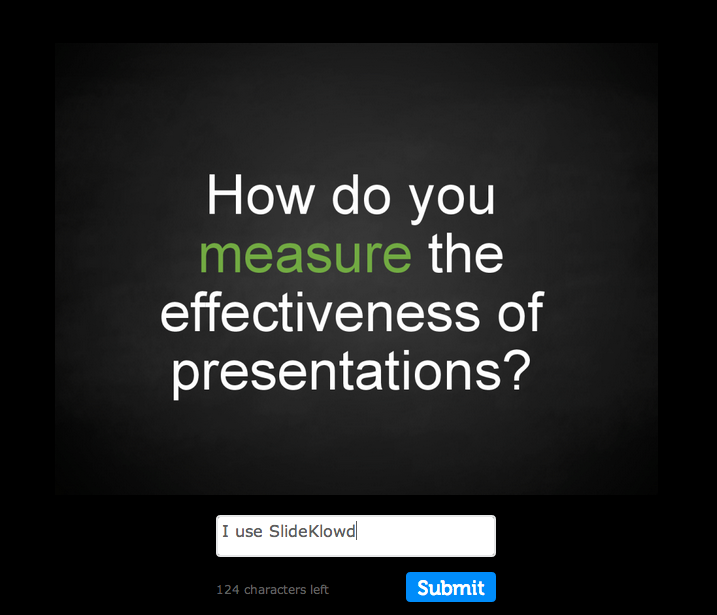
We love asking people about how they’ve measured the results their presentations in the past. We’ve found that very few have had any meaningful way to know if they influenced their audience or not. But, an open question like that utilizes our new Text Response, wherein viewers can respond in 140 characters or less.

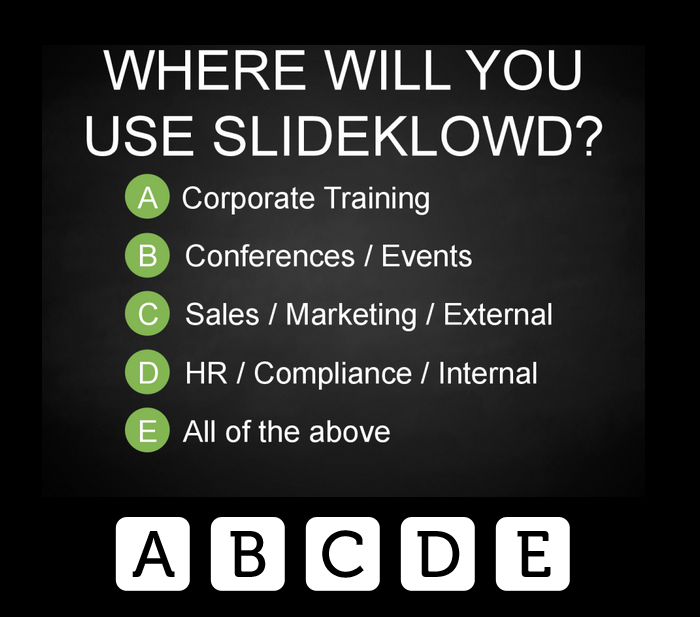
Screen Shot 2013-10-31 at 10.04.02 AMYou wouldn’t want any other interaction (we have 11, total) for a question like this. The SlideKlowd platform also supports multiple choice polling ranging from two to five options per question. One small, but obvious change would be to change numbered lists to fit the A-D format we’ve chosen. Hint: this is also a fantastic replacement for those obnoxious scantron tests that have plagued both students and teachers for years now.

Screen Shot 2013-10-31 at 10.04.34 AM

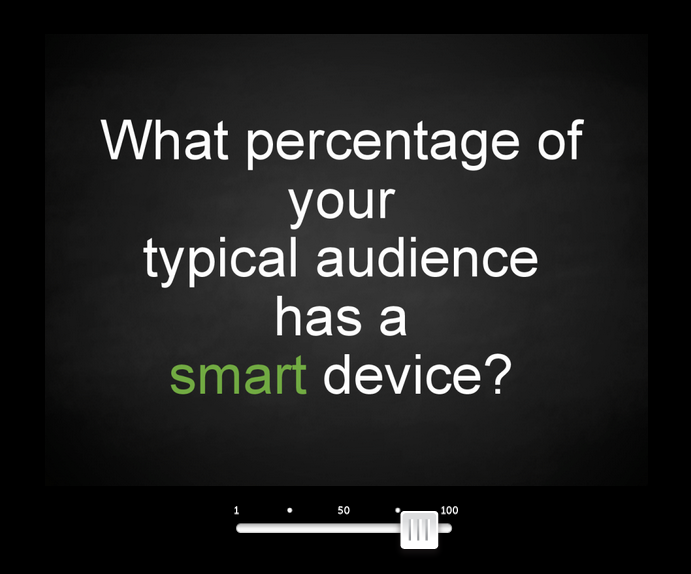
To discover a general feel of an audience or poll them on their approval, an EQ rating is the best approach to take. The platform has three choices: 1-5, 1-10, or if you’re hunting for a percent, 1-100. Each has all kinds of uses, depending on what you need to know.

Screen Shot 2013-10-31 at 10.03.19 AM

Designing your presentation to include interactions will always be the best way to go, but audiences and classrooms are dynamic- not static, so you never know if you’ll have to add a poll or survey where you didn’t plan one before. So, even if you have to go against your original design a little, the SlideKlowd platform can help with that, too.

7 Deadly Sins to Scare Away Your Audience – By Make a Powerful Point

If your audience wanted to see monstrosities, they’d go to a horror flick or one of those super sketchy haunted houses that crop up everywhere this time of year. Just in time for Halloween, our friends over at Make a Powerful Point list some of the scary things people do in business presentations every day in their killer deck, “7 Deadly Sins to Scare Away Your Audience.”

They ask, “Do you commit unspeakable horrors in your business presentations?”

Let’s hope not.

Collecting Customer Feedback

“Customer feedback is one of the most valuable resources a company can collect — and one of the hardest to gather.” – Jeremy Caplan in an article he wrote for Forbes.

He goes on to elaborate on tech savvy companies who’ve figured out how to collect valuable information that has remained elusive to companies for years. SlideKlowd made the cut. Read more…