
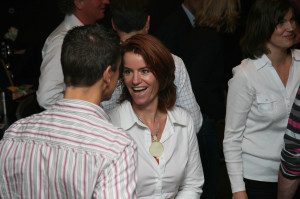
Conversation
Your event has hundreds, maybe thousands of like-minded individuals in attendance. Many showed up for the presenters, while others for the vendors. Regardless of which conference features attracted them, your participants will want to network- to get to know their peers.
Event planners have figured out that the people attending their conferences and conventions want to build relationships with other attendees. They desire to share ideas and learn from their peers. Many planners have responded accordingly, by scheduling networking time and creating spaces for interaction into their events. Which is really helpful, but more can be done to support event networking and collaboration.
Discussion after a presentation is fine, but what happens when the talk itself becomes interactive? Bring the conversation into the presentation with SlideKlowd. Participants can talk to each other as well as communicate with the presenter using the Comment Stream or questions. Doing this allows audience members to share their own experience or expertise and to connect with someone across the auditorium, instead of trying to chase them down when the speaker is done presenting.
Hybrid Events
Networking becomes a million times more difficult when the event has a combination of live, in-person attendees with a virtual audience. By the way, hybrid events and virtual attendance are on the rise. Face-to-face meetings simply are not an option for anyone who’s joining the presentation remotely. But the same SlideKlowd tools can serve those who are hundreds or thousands of miles away, helping them to connect with the rest of the audience- wherever they happen to be.
SlideKlowd’s integration of Twitter and Facebook brings the connection outside of the platform as well. Audience members can post to either platform from within SlideKlowd. While creating a presentation, the speaker has the option to create an event hashtag that will be appended to each social media comment that is posted from the platform. They also have the option to include their own Twitter handle or Facebook URL, making sure they’re part of the online conversation.
We caught a couple of the sessions happening over at PCMA Convening Leaders event over in Boston. We connected to the event online, since we’re all the way over here in Eagle, Idaho. One thing we noticed that stood out the most was that the event provided live video streaming for those of us who didn’t have the time to travel across the country to attend. Anymore, this is a must for any large event. In addition to that though, a simple chat interface was provided that enabled those of us scattered all over the place to offer our commentary and catch up with each other during sessions. The conversation was nonstop.
Jeff Hurt, whose talk, Avoid the Conference Zombie Zone was an office favorite. He did the best job at addressing both the in-person audience as well as online participants. He provided time for conversation in the audience between talking points, during which he took a couple of minutes to directly address the virtual attendees. Mr. Hurt had an moderator interacting with the online conversation who also presented him with questions or comments that had come from the chat. In responding, he spoke directly to a camera that was set aside for those of us who’d connected digitally. Then he went back to the crowd and continued his talk.
While Mr. Hurt did an amazing job at including the entire audience, not all of the presenters did this as well. It’s simply easier to address the people sitting right in front of you. Another challenge in this kind of situation is getting both types of participant to converse with each other. The only people who could see the online conversation were those who’d logged in to see the video- which would be redundant for anyone present at the event.
The SlideKlowd platform belongs in hybrid events. With everyone (in-person or miles away) logged into the platform, the conversation escapes the four walls of the auditorium. Inclusion becomes as easy as audiences joining on their smart phone, tablet or laptop.
*Photo by Jeroen Komen: http://www.flickr.com/photos/ikreis/

