
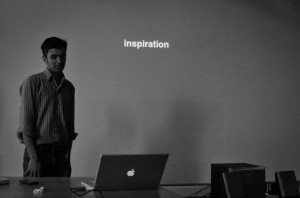
The anti-PowerPoint movement has generated all kinds of new products and services in the name of saving boardrooms and auditoriums from slide-induced comas. Presentation design firms are producing amazing content, speech coaches are training regular people to be at least semi-eloquent speakers. As this continues, it’s becoming clear that PowerPoint isn’t necessarily the problem- it’s just a tool. Speakers and their presentations are the problem. PowerPoint can’t do much in the way of making a boring person more exciting.
So, do these things and you won’t be boring. Even if you have been blessed with the gift of wit, tact or even being ridiculous enough to watch or listen to, you should use the following tips to write a better presentation.
1- Start with your goal. Regardless of your venue and the type of presentation a person makes, you’re doing much more than conveying information. Most of the time, you’re speaking or presenting with an end in mind. Discover this, then use only the information you need to attain your desired results.
2- Illustrate. People respond to stories so much better than we do timelines and tables. Provide examples that show your audience what you desire, before telling them explicitly. If you desire behavioral change, then show people what it looks like or what the benefits are.
3- Keep it Simple. Rabbit trails are not your friend. They make presentations longer and can distract your audience from what you’re really trying to accomplish. Audience members are also more likely to disengage if you wander off-topic.

4- Edit. After you’ve gotten your initial thoughts down, go through it again and ask yourself, “Does this make sense?” and “Do I have to say this?” for every point you’ve written. Once you’ve done that, read it out loud. Most of us speak English differently than we write it- make sure you sound natural.
5- Plan for interaction. Know the places where you’re going to ask questions. SlideKlowd is great for collecting audience responses- the platform enables a presenter to add an interaction to a slide with the click of a button.
6- Be flexible. Your audience probably knows more thank you think. Or one part of your presentation is more interesting to them than another. Be willing to shift or skip part of your material to keep them interested. Planning for this while writing your presentation makes transitioning easier when you’re actually in front of a hundred people.
Once your presentation has been written and your PowerPoint has been designed, upload your presentation to SlideKlowd to add interactions, add notes to each slide and fully engage your audience. The SlideKlowd platform pushes your presentation to audience devices (smartphones, tablets and laptops) allowing them to interact with you while you speak. Your audience will thank you for respecting their intelligence, for not boring them to death and making their voices heard while you speak.
*Photo by Tobias Toft: https://www.flickr.com/photos/tobiastoft/
*Photo by Kiran Foster: https://www.flickr.com/photos/rueful/