
We like to keep things fresh. And clean. So, we updated the Klicker, to make running a presentation from your mobile device easier. Here are some of the changes we made:
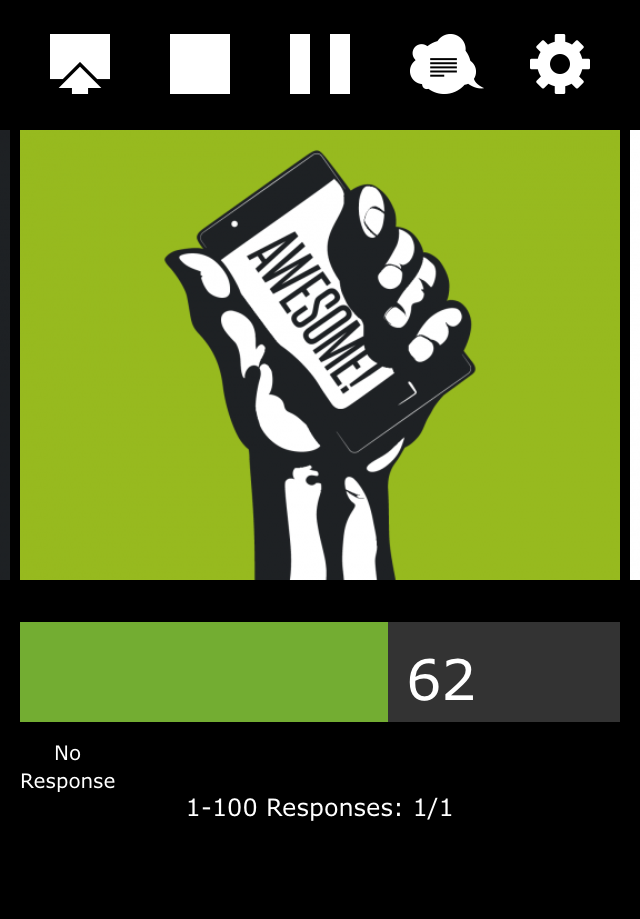
All new Layout: Find the functions you need at the top of the screen. First, if the third screen is displayed and the slide you’re currently on has an interaction, you can display the Slide-alytics using the display icon. If Third Screen isn’t active or your current slide doesn’t have an interaction, you won’t see this icon. It keeps everything clear, doesn’t it?
After that, You’ll see the stop, play/pause, comment stream and settings icons.
New slide navigation: Tap or swipe through your presentation like just like you used to, but now, your slides glide across the screen using an all new animation. Depending on the width of your device, you’ll see a small piece of the previous and next slides to the left and right of the one that’s currently displayed. For those of you who love it, we kept the Big Green Button. Switch between these interaction modes in the settings menu.

Updated attendance, engagement, time and progress display: Click the Settings icon to access the main menu where you can do the usual things like resync your device, manage your interactions, view the Klowd Key, exit, etc. Find the useful information you need about your presentation conveniently on display at the top of the menu. It looks good, doesn’t it?
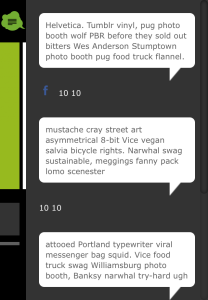
The Comment Stream: Originally, this was only available in the desktop presenter mode. Now you get it when using Klicker. Just click on the Comment Stream icon and the conversation will slide out from the right side of the screen. Posts to Twitter and Facebook are also labeled, so you as the presenter know how much social attention your presentation is receiving.
A few of the other changes include an updated login screen, total optimization of the app so it works more efficiently and several UI updates. We think you’ll like using the klicker even more with these changes!
A few of the other changes include an updated login screen, total optimization of the app so it works more efficiently and several minor UI updates. We think you’ll like using the klicker even more with these changes!