Tag Archives: second screen

Design for All the Screens

6984521465_3669503b57_o

Do you use a flash drive anymore? Do any of us? Sure, they’re convenient when we’ve wandered away from wifi and decent cell reception- when we’re in the middle of nowhere, lost in some dark forest. Cloud technology has basically freed us from carrying around physical storage devices, which is nice.

It has also made things like presentations and other documents available to nearly anything that has an internet connection and a screen. As a teacher, speaker, presenter and SlideKlowd user, this leaves you with the responsibility to design your content to work on all screens, large and small. Fortunately, many of the design ideas that work for the little screen, also apply to the big one.

7 Points to Designing Your Presentation for Any Screen

1-  Simple Backgrounds- Ever lose sight of information on the screen at the front of the room because the genius who designed the presentation chose some crazy picture for the background? That will still happen on a smaller screen. Even the bigger-than-big iPhone6+ or any of those other larger than life phablets. If your slide has text, put it on something simple.

2-  Negative Space- Sounds like a good place to talk smack or throw a tantrum, doesn’t it? “Excuse me, I need to go to my negative space for awhile.”

This design concept was co-opted from photography long ago. Negative space is choosing to frame the subject of an image in such a way that it only occupies a portion of the available space. Choose images that have plenty of this, then place your text in the negative space.

SONY DSC

3-  Large Text- In most cases, the information on your slides is more important than the image behind it. Unless you’re a photographer or an artist. But how many photographers or artists are giving presentations? Just kidding, you all need to show your stuff off too. But seriously, if you’re putting text on a slide, let it fill up the screen to be more easily read.

4-  Clean Fonts- Don’t be fancy. Choose something simple without decorative clutter for your presentation. Even choose the dreaded Comic Sans over something with swirls and curves all over the place. Your audience will secretly make fun of you, but at least they’ll be able to read your slides, which is most important.

thisfont

5-  Don’t be Too Wordy- Speak as much as you want or need to. But don’t put all of your information on one slide for three reasons: First, every added word takes up more space, requiring smaller type in order to fit it all. Second, as the presenter, you’ll end up reading your slides to your audience. Third, if you don’t read your slides verbatim, then you’ll be competing with them for your audience’s attention. Your slides are there to serve you, not steal the show.

6-  Contrast- Make the important things pop off the page. Use color or avoid it in order to make this work. Just don’t put white text on a light gray background, blue text on a black background or everyone in the room will hate you. Hate is a strong word- they’ll think you’re incompetent.

7-  Be Careful With the Charts- This goes hand-in-hand with the size and amount of text. Put charts on a solid background as much as possible. Keep them simple. If possible, break them into different parts if you must convey a lot of information.

FinanceGraph

SlideKlowd is the second-screen platform that pushes presentations to user devices, including laptops, tablets and smart phones using cloud technology. With SlideKlowd, you don’t have to carry around a flash drive or email everyone your slides before or after your presentation. SlideKlowd helps presenters and audiences engage like never before using interactions, questions, comments and social media. Using SlideKlowd and designing your presentation for all the screens it’ll be seen on will make you look good in the boardroom, classroom, meeting hall or wherever you’re speaking.

*Photo by Amsterdam Printing: https://www.flickr.com/photos/amsterdamprinting/
*Photo by Ingrid Eulenfan: https://www.flickr.com/photos/eulenfan/

What is Engagement?

3468651131_e4c62af557_o

The Oxford Dictionary adds new words to its pages every month. Keeping up with the publication can be an exercise in frustration or entertainment, depending on how much of a wordy you might be. Just last month, humblebrag, binge-watch, amazeballs and similarly recent words found recognition at the hands of the Oxford Dictionary’s editors. 

Screen Shot 2014-09-10 at 11.50.28 AM

The thing about dictionaries is that yes, they set out definitions for users to look up, but that’s secondary- the initial objective for the likes of Oxford or Webster is to track word usage. Words come in and out of use all the time. And some words’ meaning changes over a period of centuries.

One of those words is Engagement. A look at the word’s etymology shows us this word emerged from 15th century French and originally meant “To bind” as in oath, or promise. Basically, we’re looking at a marriage engagement. Later, we see that the word was used for machinery-use and even entering into combat. It’s through these uses that we eventually arrived at phrases like, “engaged in conversation”.

As a term that’s constantly used in communication and event circles, we have to ask, what is engagement?

Let’s start with a couple of things that engagement is not.

Engagement is not necessarily filling seats. People can show up and completely check out. Some of us did this our freshman year at university and may or may not have suffered as a result.

It’s also not as simple as getting someone’s email address or other information. How often do we sign up for something and when the emails show up, we delete 90 percent of them?

If engagement is more than showing or signing up, what else do we need to consider?

First, it depends on who’s involved. Is a television show trying to engage viewers? Is a football program attempting to engage people in the stands? Does an artist want viewers to consider her work? Is a presenter trying to get everyone in the room involved?

Second, we have to ask what does engagement look like? Is it some kind of action? Conversation? Or is it just getting people to look away from their phones and listen long enough to gain some new information?

We would say that engagement is the mutual contribution of each party in an interaction to the benefit of all parties involved, whatever the event may be. If a television network is one party and viewers the other, then the people watching a show should be entertained to the benefit of a network getting higher ratings and more money for its advertising. Each party gains something meaningful. (By the way, The Walking Dead is KILLING it with their audience engagement…)

So that leaves us with just one more question:

What can you give to your audience (class, coworkers, potential clients) to make their experience better and gain what you need?

SlideKlowd helps presenters place their content in their audience’s hands. The platform provides a means for those who are listening to speak up, which is invaluable in so many situations. It helps the presenter, teacher or speaker to give everything they need to in an effective way. The platform also collects information by storing responses, questions and comments. It even offers analytics to help you understand how well you engaged your audience. SlideKlowd helps the people on either side of a presentation get what they need. SlideKlowd is the engagement tool that university professors, political candidates and so many others are using to engage their audiences in a meaningful way.

It’s a good thing that audience engagement doesn’t have to involve romance or war, but no matter how you define it, you and your audience both want it and SlideKlowd can be the tool to help you create it.

*Photo by NASA Goddard Space Flight Center:

The Second Screen

tonight

*Photo by Robert S. Donovan: http://www.flickr.com/photos/booleansplit/

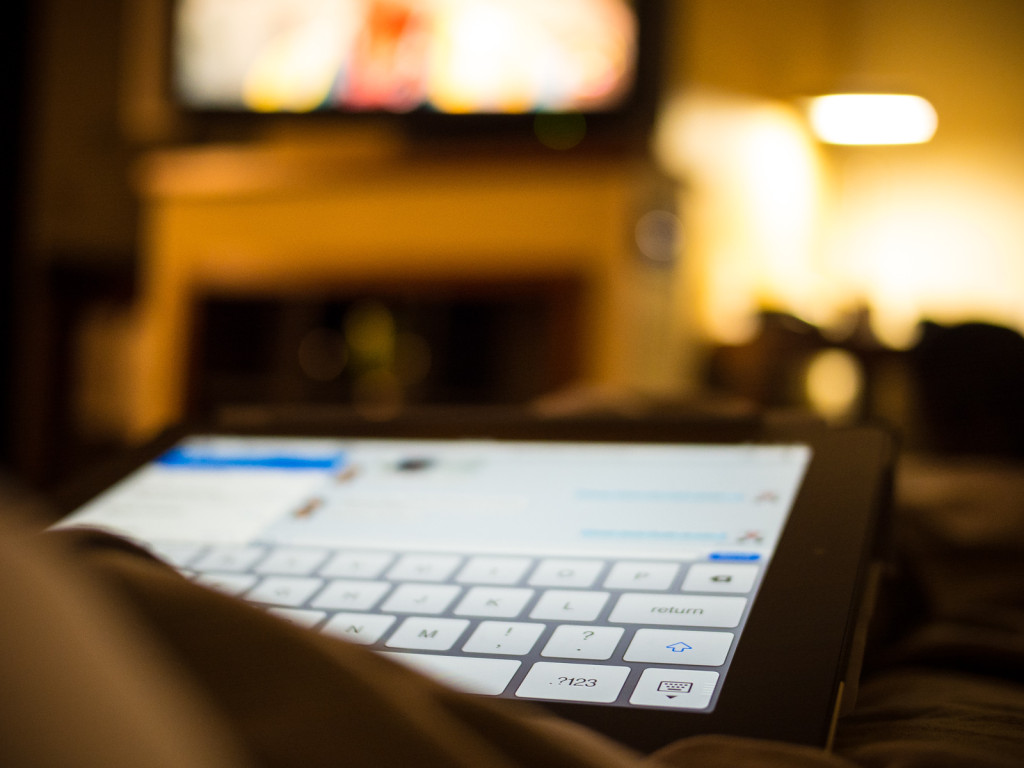
How many times have you grabbed your tablet or laptop while watching one of the too many crime shows on television because you wanted to google something you saw to find out if it was true? Did you watch the rest of the program with your technology in-hand, your attention vacillating between screens? If  yes, then you’re definitely not alone.

A while ago, television networks figured out that huge portions of viewers watch shows on their television- while using a laptop, tablet or smart phone in one way or another. Viewers had Facebook and Twitter open and sometimes visited program websites. Basically, people are able to consume content from more than one screen at a time. One response was to give shows, even individual episodes their own hashtags encouraging audiences to interact with each other during programming. Some websites began including the supplementary content they thought people would look up on their own anyway.

The great thing about this technology is that it’s mobile. Very few people sit at a desktop while watching television, it’s just not as comfortable as watching our favorite shows from the sofa, recliner or bed. Nearly everybody who’s got a web-enabled mobile device brings it everywhere with them. We’ve also been seeing these devices at lectures, presentations, sporting events, political rallies- you name it- for years now. And as event planners are wising up to harness this technology, we’re seeing the second screen come in to play in all kinds of places.

Have you ever been to a sporting event and had lacked a decent view of the jumbotron or whatever giant(ish) screen the venue used for replays and all the extra facts about a player or the game itself? Frustrating, isn’t it? Wouldn’t it be better if you could just glance at your phone and see what’s going on? Political events aren’t any different. We’ve all listened to someone that we support and have still felt the need to look something up just to make sure they weren’t exaggerating, even just a little. How would you, as part of the voting public feel if a candidate pushed sources from his speech directly to your phone while speaking? Would that increase your trust in them and their causes? It’s better than trying to remember what to look up when you get home, isn’t it?

TEDxHelsinki: audience

*Photo by Mikko Reinikainen: http://www.flickr.com/photos/mtreinik/

This is the second screen. It’s supplementary in so many situations.

2013 brought about a huge adoption of BYOD (Bring Your Own Device) in the workplace and at events. People prefer to use the technology they’re familiar with. Thus far, predictions are pointing toward increased use of audience devices to get people engaged during events in 2014. Unfettered access to wifi and charging stations have already become mandatory at any noteworthy event, because nothing’s worse than trying to work with substandard wifi or panicking over nearly dead devices then fighting with a perfectly nice stranger who needs the same outlet you do for exactly the same reason.

The way we experience events (even remotely) will change as planners think ahead and encourage us to engage online- realtime. Really, there are only two ways to engage users on their own devices. Planners and presenters can enable them via web browsers on devices or using apps. A differentiator in which will succeed and which won’t is the ease of getting connected. Few people will jump through hoops to get connected- even during an event.

As a second-screen app, SlideKlowd approaches this a few different ways.

First, if the event required registration and the event planners know their audience’s email addresses, they can simply upload all of them into the platform (with minimal effort) and send every attendee on their list an invitation. Using this, any participant can get content sent to their “second screen” with just one click.

Screen Shot 2013-12-31 at 10.52.24 AM

Otherwise, participants can join a presentation by going to join.slideklowd.com, logging in and using the Klowd Key that was created by the presenter or event planners. It’s that easy. Event planners have other options to make sure the right people are joining presentations by making them invite-only or filtering by participant email domain (@yourcompany.com, for instance). SlideKlowd offers a number of features to compliment the second-screen nature of the platform, too. Because as event planners are still learning, engagement is more than offering more content- it’s also hearing what your audience has to say.