Real-time news and commentary are two of the most awesome 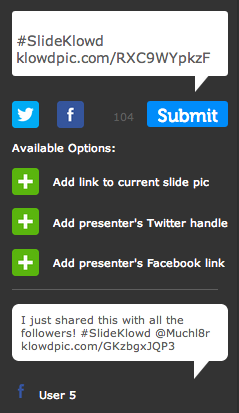 benefits to using social media. Tweeting during sports events, award shows and conferences has become not just common, but expected of audiences. Not only does it enrich the experience, but it can be particularly useful for those who aren’t able to attend an event.
You were out of vacation time, too busy at work, or any number of other things got in the way and kept you from traveling to your favorite conference. But some coworkers, friends, or people you follow on Twitter or Facebook were able to attend. You figure you’ll be able to check out what they have to say even before they get back. Not only that, but because the planners were smart, they created a hashtag for this year’s event so people in situations similar to yours could watch the Twitter feed to catch bits and pieces of what’s going on.
SlideKlowd helps with all of that. Now, it’s possible for presenters and viewers to connect their- or their company Facebook and Twitter accounts to the platform and share with their social sphere. This is huge for participants connecting via SlideKlowd and for events or organizations that have planned and event and want to get the word out a little more.
Presenters have the option to connect their social media accounts in the admin panel and include their user handles in a presentation for audience members to connect with them on Facebook and Twitter– or cite them in a post or tweet. They also have the ability to turn social media functions off. Tweeting about a conference is one thing, but most professors don’t want their students tweeting about how awesome the day’s anatomy and physiology lesson is. The great news is that either or both Facebook and Twitter can be toggled on or off from the presentation settings menu.
Twitter and Facebook authentication is easy, secure and only need to be done once. It doesn’t matter how many presentations a viewer sits through or which organizations host the presentation- the user account will be connected until they decide otherwise.
Presenters can integrate a hashtag into their presentation and even to have it auto-populate in comments posted from the SlideKlowd platform. Social metrics have been added to the awesome analytics, so presenters can see how many times their audience tweeted or posted to Facebook using the platform.
Introducing: Klowdpic
People who can’t take even mediocre pictures, yet insist on posting blurry images on Facebook and Twitter are, well, slightly frustrating. Especially when posting photos from a presentation. Out-of-focus material never did anyone any good. At all. Klowdpic enables the user to share a slide from a presentation on social media- without taking an unfortunate photo of a room that wasn’t lighted for shooting photos. They can do it straight from the platform, too.
When it comes to events, social media is your friend. Any time you can improve your attendees’ access to it, you’re doing yourself and your event a favor.