
If you remember much from school, you’ll recall that when writing papers or speeches, a clear outline helped you accomplish your goal. The typical format was something like
Thesis
Supporting argument #1
Fact
Fact
Supporting argument #2
Fact
Fact
Blah, blah blah.
Does that look familiar? That structure is well and good for high school or maybe university, but it’s intensely boring and really won’t do for an important pitch or for training your employees. This technique is probably where Death by PowerPoint started. You aren’t trying to bore your staff into quitting, are you?
Here’s the good news: you have content that’s worth sharing. And believe it or not, your audience needs or wants your information and ideas. Just maybe not all of it. How can you give them the content they need and cut out all the unnecessary, potentially boring stuff? By kicking the linear format.
Nonlinear presenting is a responsive approach where a trainer, teacher or speaker moves freely through their content based on what their audience needs. It involves asking questions and listening to the people in front of you.
Some Benefits to Nonlinear Presenting:
1- You give your audience control of their time. Sure, you’re up at the front of the room and you’ve got the mic, but your event/class/meeting isn’t really about you. It’s about the people. Besides, they outnumber you, so give them what they want. Let the crowd decide what you talk about based on their needs and interests. They’ll eat up every word you say and you’ll look like a champ.
How do you do this? Start your talk by asking questions or testing their knowledge. (Hint: ask questions all the way through your presentation.)
2- Capitalize on the moment. If halfway through your sales pitch, your audience decides to buy, you don’t ask them to sit through the rest of your presentation. You jump to the end and get a contract in front of them quickly, before they somehow decide otherwise. The same is true with any call to action- convinced people don’t need to hear your persuasive argument, they need to be instructed and freed to act.
3- Use time effectively, or use less time. Cutting all the unnecessary stuff out of your presentation frees up time to elaborate on important topics. Or it helps everyone get to lunch a little early. Your audience will love you for both.
4- Use the same material for different groups- Have you ever sat through a presentation that you knew was created for someone else? That’s annoying. It’s evidence of presenter laziness. He or she should know that one size fits all doesn’t apply to presentations. The trick is having the flexibility to move around to whatever content is necessary.
5- You’ll feel better. Ultimately, your presentation wasn’t about you- we already covered that. But when you know you aren’t wasting anyone’s time and that your audience really liked your content, you get to walk away from an event feeling like a boss.
So, you’re wondering, how does SlideKlowd help with this?
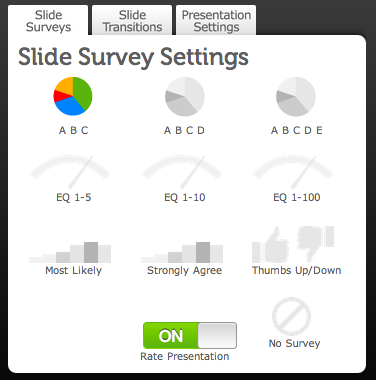 Glad you asked. A good teacher/trainer/presenter will start a nonlinear presentation by discovering what his or her audience needs. Ask questions. Invite interaction. SlideKlowd is perfect for that. The platform’s interactions offer a number of ways to ask questions and receive answers immediately. As a presenter, you can pre-populate your questions, or do it on the fly, right from Cast.
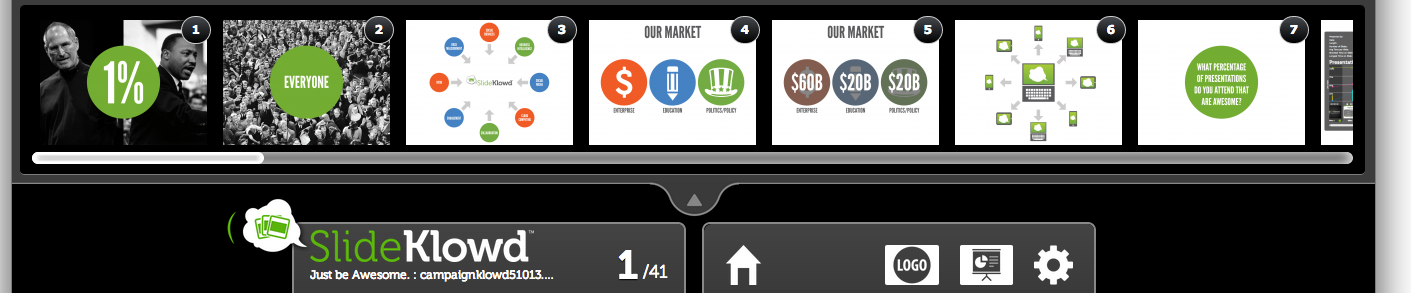
Once you know what the people want, give it to them. Skipping whole sections of your presentation is as easy as clicking the tab at the top of the screen in Cast. It pulls down a slider that displays your presentation content, in order. Clicking on any of the slides will take the third screen and the audience right past anything else before it. The crowd won’t even know you skipped anything.
Another perk to this is that if you don’t display a particular slide, analytics won’t be collected for it. That is, choosing to skip content isn’t bad for your SK rating.
So now you know what nonlinear presenting is and how SlideKlowd will make you look awesome doing it. We bet that your SK rating goes through the roof with all those satisfied buyers, employees or students who will love your responsive presentation skills.